
Mermaid diagram viewer
The headline feature: fenced mermaid blocks become SVG in your preview — including ELK and tidy-tree layouts when your docs opt in. Expand busy flowcharts to a modal.
Built for Mermaid · Local-first · Open source
Dickory Docs exists because good Mermaid diagram viewers are hard to find. Point it at folders on disk, open any .md file, and every ```mermaid block renders as live SVG — inline in the doc, or full-screen when the diagram deserves the room.
New in v0.3.8
Pin lots of doc trees on disk — Dickory Docs shows recent workspace tabs plus a searchable switcher. No more endless horizontal scrolling to find the right folder.
In v0.3.7
Docs change in VS Code, Cursor, or a terminal — Dickory Docs picks them up. The Markdown & .mmd only filter scans the workspace and shows real files only (no empty folders), including standalone .mmd diagrams.
.md, .mdx, .markdown, and .mmd; ancestor folders only when they contain a match.v0.3.2+
Architecture docs increasingly use %%{init: {"flowchart": {"defaultRenderer": "elk"}} }%% or YAML layout: elk. Dickory Docs registers the official Mermaid 11 layout packages so those diagrams render on disk — not as a silent dagre fallback.
flowchart-elk.layout: tidy-tree.The reason this app exists
Most tools either skip Mermaid, render it wrong, or make you paste into a browser tab. Dickory Docs treats diagrams as first-class: open the Markdown file from your repo, and sequence, flow, ER, and architecture charts show up where the author put them — not as raw code fences.
mermaid block renders in the preview pane.A Mermaid-first viewer wrapped in Markdown preview and local folders — not an IDE, not a paste-into-a-website tool. Everything runs on your machine.
The headline feature: fenced mermaid blocks become SVG in your preview — including ELK and tidy-tree layouts when your docs opt in. Expand busy flowcharts to a modal.
Rendered HTML with sanitisation, working TOC anchor links, and Find in document (⌘F / Ctrl+F) — the canvas your diagrams live in, not an afterthought.
Add directories as workspaces; roots and metadata persist under your OS config dir. Git branch and remote show when the folder is a repo.
Resizable sidebar, Markdown & .mmd filter, live refresh when files change on disk, name search, and create/rename/delete via context menu.
Tauri + React with a Slack-inspired dark UI. File reads and workspace state stay in-process — no companion hub or network service.
Rust backend normalises paths, rejects .. escapes, and serves file trees relative to each workspace root.
Split-pane Monaco editor with live preview, save to disk, and unsaved-change prompts when switching files.
Right-click .md files in Finder and open them in Dickory Docs — fixed in v0.3.1. Adds the parent folder as a workspace when needed.
Open a specific file via query params (?preview=true&workspace=&path=) for bookmarks or tooling integration.
Edit Markdown beside live preview, expand diagrams full-screen, and browse every ```mermaid block in a workspace gallery — all on local files.
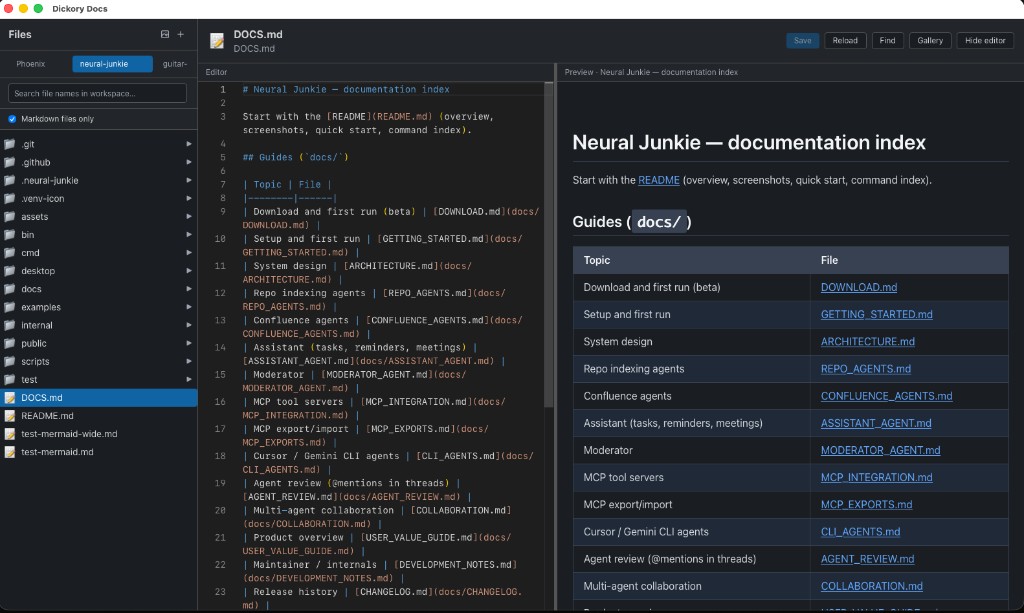
.md on disk with Mermaid rendered beside the source.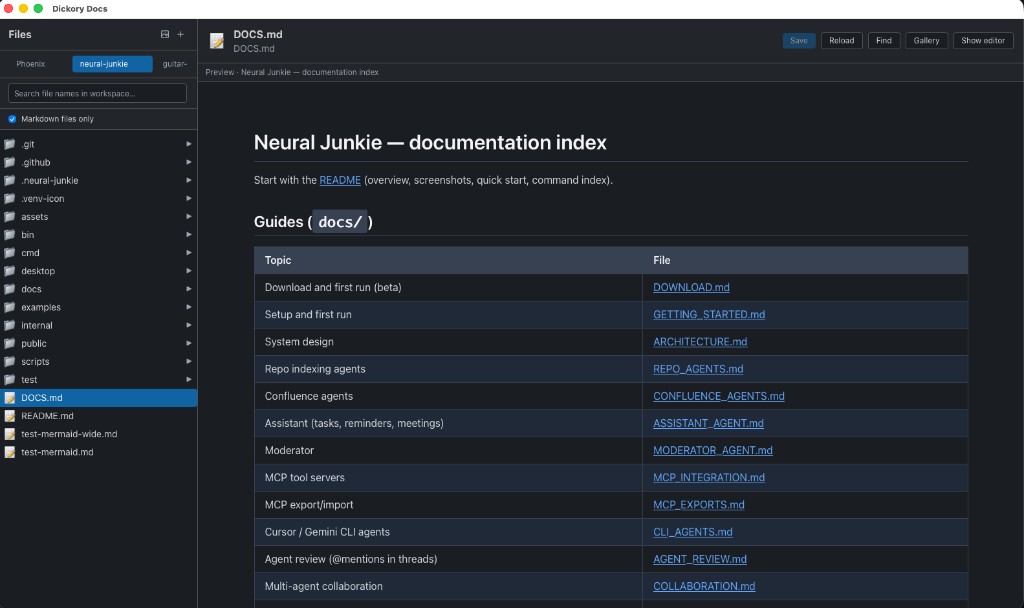
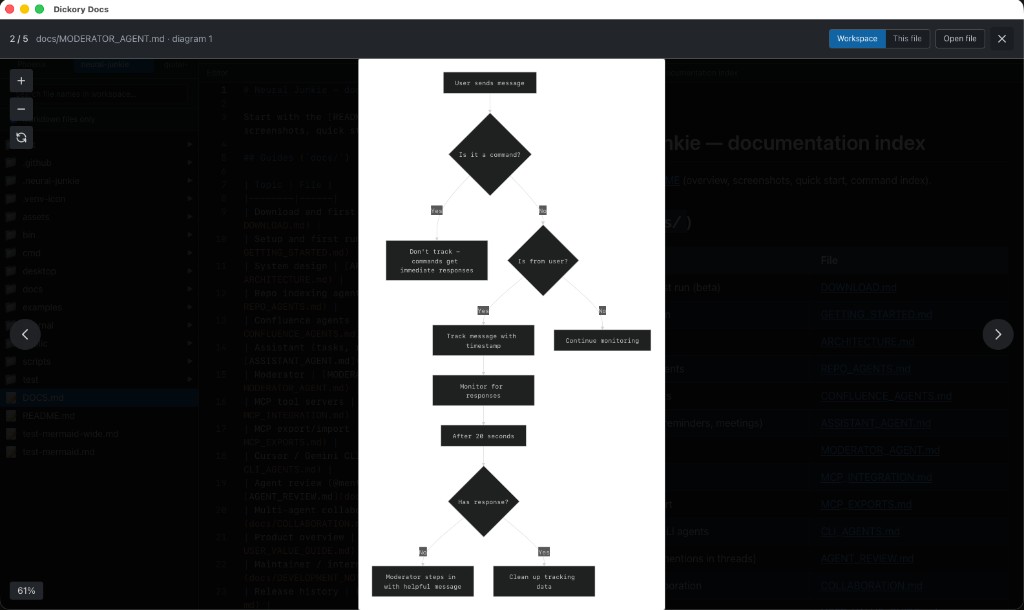
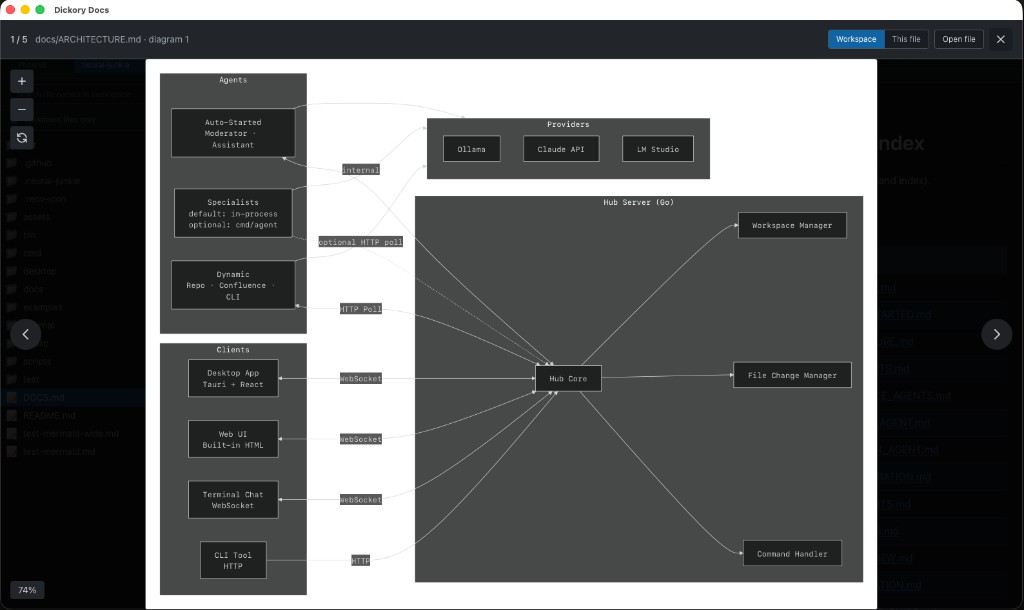
From repo to rendered Mermaid — then search and jump through long docs. No export, no online editor.
```mermaid fence renders as SVG in the preview.Latest build: v0.3.8 on GitHub Releases — macOS .dmg, Windows .msi, Linux .AppImage / .deb.
| Platform | File |
|---|---|
macOS · uname -m → arm64 |
*_aarch64.dmg (Apple Silicon, native) |
macOS · uname -m → x86_64 |
*_x64.dmg (Intel, or Rosetta on Apple Silicon) |
| Windows | .msi or setup .exe |
Linux · uname -m → x86_64 |
*_amd64.AppImage and/or *_amd64.deb |
Linux · uname -m → aarch64 |
*_aarch64.AppImage and/or *_aarch64.deb |
macOS builds are unsigned — first launch: right-click → Open. For Finder Open With, see the macOS guide. On Linux ARM (e.g. Raspberry Pi), do not use amd64 installers — use aarch64 artifacts only.
Installers for macOS, Windows, and Linux are on GitHub Releases. See release notes for what shipped in each version.
Latest
v0.3.8
MRU workspace tabs, searchable switcher (⌘⇧W), remembered active workspace, and workspace-scoped file access.
Install v0.3.8 from GitHub Releases or see the install table above. File issues or open a pull request if you improve something.
Get v0.3.8